Universal Print: phone release and print jobs per licence
By ClearSourcePublished
No print server in the cupboard, and the document waits in the cloud until you’re standing at the printer. How Microsoft’s Universal Print works, what releasing a job with your phone looks like since August 2026, and how many print jobs your licences actually bring.
The options
- 100 jobs a month
Microsoft 365 Business Premium
CHF 17.82
Microsoft list price for Switzerland, excl. VAT, as of 4 October 2026 [1]
- 100 jobs a month
Microsoft 365 E3
CHF 35.32
Microsoft list price for Switzerland, excl. VAT, as of 4 October 2026 [4]
SPE_E3Includes
- Universal Print: each licence adds 100 print jobs a month to the organisation’s pool [2]
- 100 jobs a month
Microsoft 365 E5
CHF 54.33
Microsoft list price for Switzerland, excl. VAT, as of 4 October 2026 [4]
SPE_E5Includes
- Universal Print: each licence adds 100 print jobs a month to the organisation’s pool [2]
- 5 jobs a month
Microsoft 365 F3
CHF 8.10
Microsoft list price for Switzerland, excl. VAT, as of 4 October 2026 [5]
SPE_F1Includes
- Universal Print: each licence adds 5 print jobs a month to the organisation’s pool [2]
- 5 jobs a month
Windows 10/11 Enterprise E3
Sold only under a Microsoft agreement or together with a qualifying licence, without a public list price. IT partners can quote it.
WIN10_VDA_E3Includes
- Universal Print: each licence adds 5 print jobs a month to the organisation’s pool. Windows 10/11 Enterprise E5 adds the same [2]
- Standalone licence
Universal Print
Swiss list price: not stated [2]
Includes
- Universal Print for one user, adding 5 print jobs a month to the organisation’s pool [2]
- Add-on: more print jobs
Universal Print volume add-on
Microsoft’s US list price: USD 25 a month for 500 jobs, USD 300 a month for 10,000 jobs, annual commitment billed monthly. Swiss list price: not stated [2]
Includes
- More print jobs for the whole organisation, in packs of 500 or 10,000 a month [2]



Key differences
- Universal Print is Microsoft’s print service in the cloud: every job goes through Microsoft’s service on its way to the printer, instead of through a print server of your own [6]
- Your licences decide how much you can print, not how many printers you have. Every Microsoft 365 E3, E5 or Business Premium licence adds 100 jobs a month; Microsoft 365 F3 and Windows 10/11 Enterprise E3 or E5 add 5 [2]
- The jobs go into one pool for the whole organisation. The person who prints the quarterly report can use up what the colleague on holiday didn’t, and the pool refills at the start of every month [2]
- A job is a document, not a page: 15 copies of a 10-page contract count as one job, colour or black and white, single- or double-sided [2]
- A held job counts once it reaches the printer or a third-party release service, even if nobody ever picks it up. Jobs that fail inside the service don’t count [2]
- Run out and printing doesn’t stop. The administrator is alerted and is expected to buy more licences or a volume add-on [2]
- Microsoft’s plan comparison for small businesses lists no Universal Print in Microsoft 365 Business Basic or Business Standard [3]
- Every job comes from a named person signed in with their work account. Printing from service accounts isn’t supported, so there is no anonymous guest printing [7]
- Printers with Universal Print built into their firmware connect straight to the cloud. Brother, Canon, Epson, HP, Konica Minolta, Kyocera, Lexmark, Ricoh, Sharp, Xerox and others make them [8]
- Older printers need the Universal Print connector: a Windows app on a PC or server at the site that stays on around the clock, with Windows 11 Pro or Enterprise or Windows Server 2025 recommended. It only makes outgoing connections, so no inbound firewall rules [9]
- There is no offline printing: every job goes through Microsoft’s cloud, even when the printer is on the same desk [6]
- Microsoft lists North Europe and West Europe as the European regions for Universal Print; no region in Switzerland is listed [2]
What to do, and when
At your desk
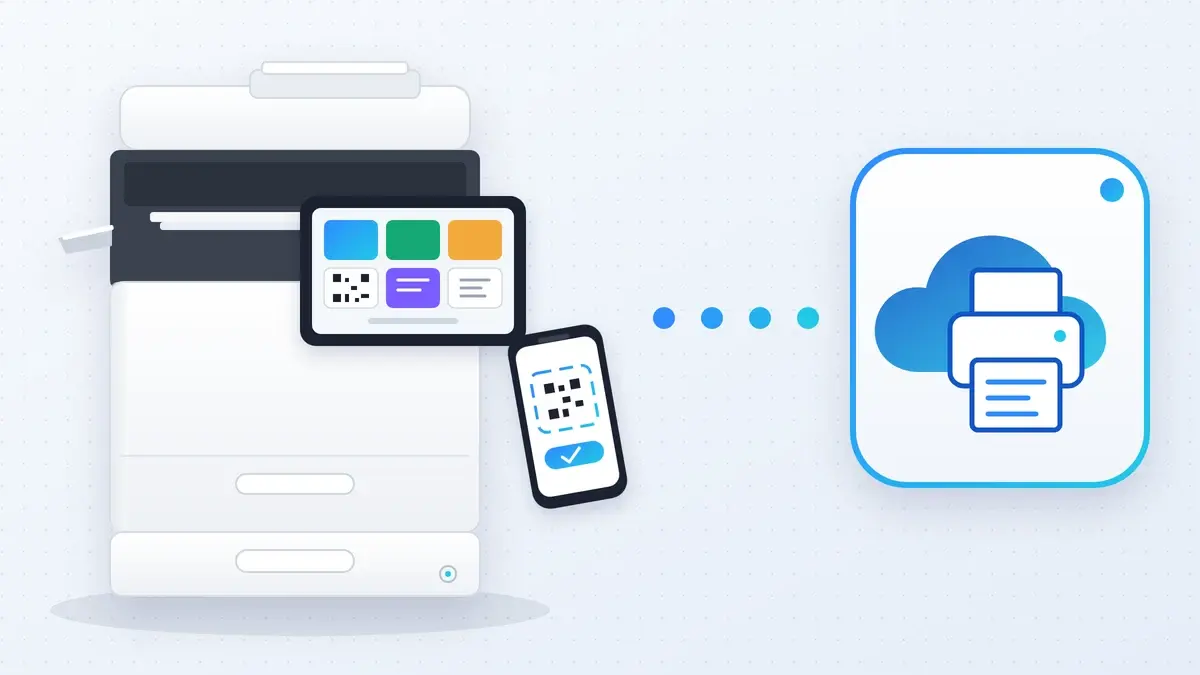
Print as usual to the Universal Print printer or the pull-print queue. The job waits in Microsoft’s cloud, not in the printer’s tray. [10]
At the printer
Scan the QR code stuck on the printer with your phone’s camera. Since 18 August 2026 it opens the Universal Print portal in the browser; the Microsoft 365 Copilot app no longer releases jobs, and existing QR codes keep working. [10]
On your phone
Release your job in the portal. Only then does the printer get it. [10]
Any printer, one queue
With Universal Print anywhere (pull printing), one queue follows you: send the job once and release it at whichever printer you walk up to. It is included with Universal Print at no extra cost. [11]
Badge instead of phone
Some printer makers add badge release on top of Universal Print anywhere. That comes from the printer maker, who may charge to switch it on. [12]
If nobody comes
A job nobody collects is cancelled after 3 days. [7]
Who it’s for
- 25 people on Microsoft 365 Business Premium bring 2,500 print jobs a month. Count documents, not pages, before you buy anything extra.
- On Microsoft 365 Business Standard you don’t have Universal Print. Business Premium adds it, and so does a standalone Universal Print licence, with 5 jobs a month and no public Swiss price.
- Shops and warehouses on Microsoft 365 F3 get 5 jobs per person. If the shop floor prints delivery notes all day, plan for a volume add-on.
- Confidential printing (HR, payroll, contracts): turn on QR release on the shared printer, so nothing sits in the output tray until its owner is standing there.
ClearSource’s reading of Microsoft’s documentation — not a recommendation for your situation.
What changed recently
18 August 2026
QR-code release moved from the Microsoft 365 Copilot app to the browser-based Universal Print portal [10]
November 2025: badge release from printer makers became generally available on top of Universal Print anywhere [13]
June 2025: Universal Print anywhere (pull printing) became generally available [13]
Sources
- 1Microsoft 365 Business plans with Teams (de-ch) (24 September 2026)
- 2Get access to Universal Print (Microsoft Learn) (21 July 2025)
- 3Microsoft 365 User Subscription Suites for Small and Medium-sized Businesses (Microsoft PDF) (1 September 2026)
- 4Microsoft 365 Enterprise – Pläne und Preise (microsoft.com/de-ch) (25 September 2026)
- 5Microsoft 365 Frontline plans and pricing (de-ch) (25 September 2026)
- 6Universal Print FAQ (Microsoft Learn) (11 November 2025)
- 7Universal Print limits (Microsoft Learn) (18 July 2024)
- 8Universal Print-ready printers and partners (Microsoft Learn) (2 September 2026)
- 9Install the Universal Print connector (Microsoft Learn) (7 November 2024)
- 10Secure release with the Universal Print portal (Microsoft Learn) (14 September 2026)
- 11Universal Print anywhere overview (Microsoft Learn) (13 January 2026)
- 12Badge release by printer makers (Microsoft Learn) (12 November 2025)
- 13What’s new in Universal Print (Microsoft Learn) (4 June 2026)
Microsoft’s own pages, read on 24 September 2026.
Want offers for these licences?
Free and without obligation: checked Swiss IT partners send you an offer. Nothing goes out until you confirm by email.